Know what you can ship, which orders are blocked, and what needs reorder.
Inventory Control Center gives your team a clear operational view of inventory, purchase orders, sales orders, and forecasting without forcing everyone to dig through QuickBooks Desktop.
Example metrics
Built for the questions inventory teams answer every day.
Inventory Control Center is designed to help your team move faster, reduce guesswork, and make better decisions around stock, purchasing, and fulfillment.
Know what can ship now
See real available inventory after committed sales orders, so your team can stop guessing and start shipping with confidence.
See which orders are blocked
Quickly identify missing SKUs, incoming PO coverage, and which sales orders are waiting on stock.
Reorder before stock becomes a problem
Use current stock, incoming supply, and sales velocity to see what needs attention next.
Track incoming purchase orders
Watch ETAs, open quantities, and supply impact in one place instead of hunting through QuickBooks Desktop.
Search by SKU or product name
Built for operators who need fast answers while customers, sales teams, and purchasing decisions are waiting.
Forecast with practical logic
Use 3, 6, and 12 month planning views to make better reorder decisions without overcomplicating the process.
See the exact views your team cares about.
Inventory Control Center brings inventory position, incoming purchase orders, order status, and forecasting into one operational view for QuickBooks Desktop teams.
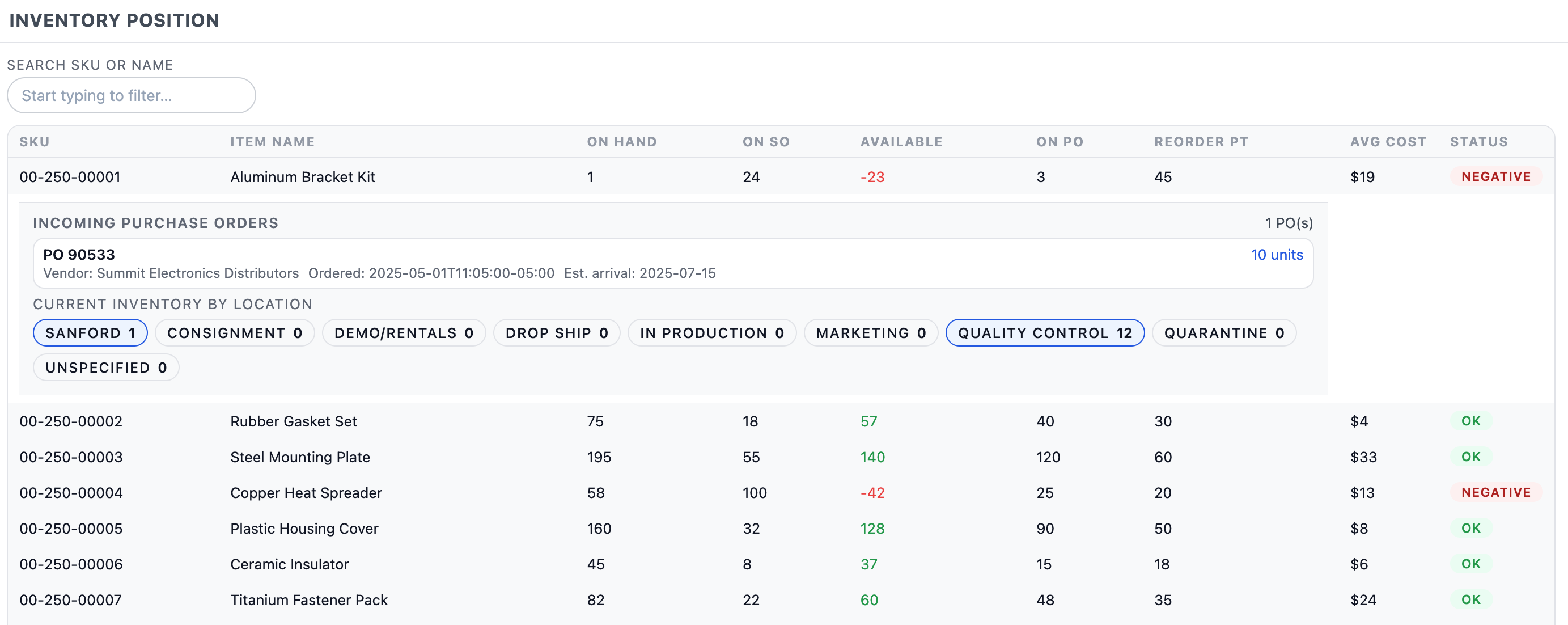
Inventory Position
See what is on hand, what is committed, what is incoming, and what is actually available to ship.
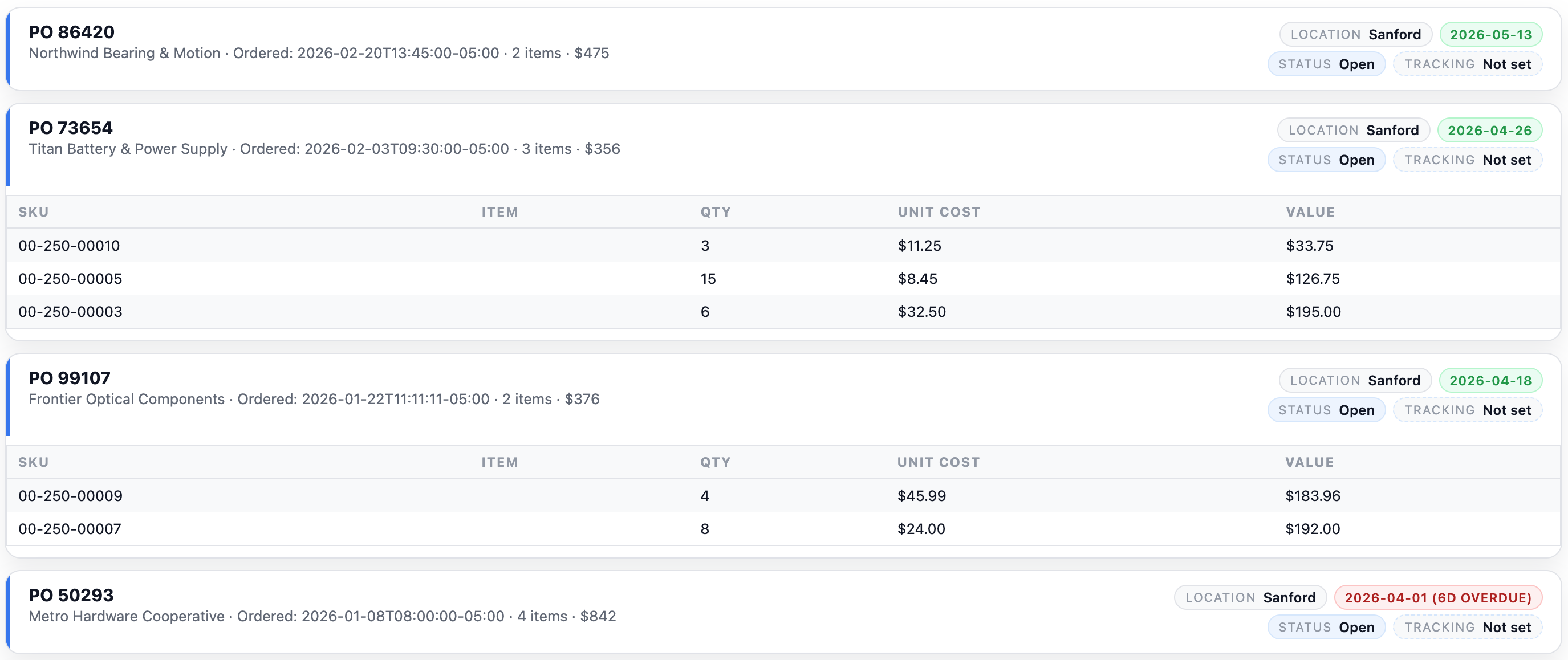
Incoming Purchase Orders
Track what is arriving, expected timing, and how incoming purchase orders affect stock coverage.
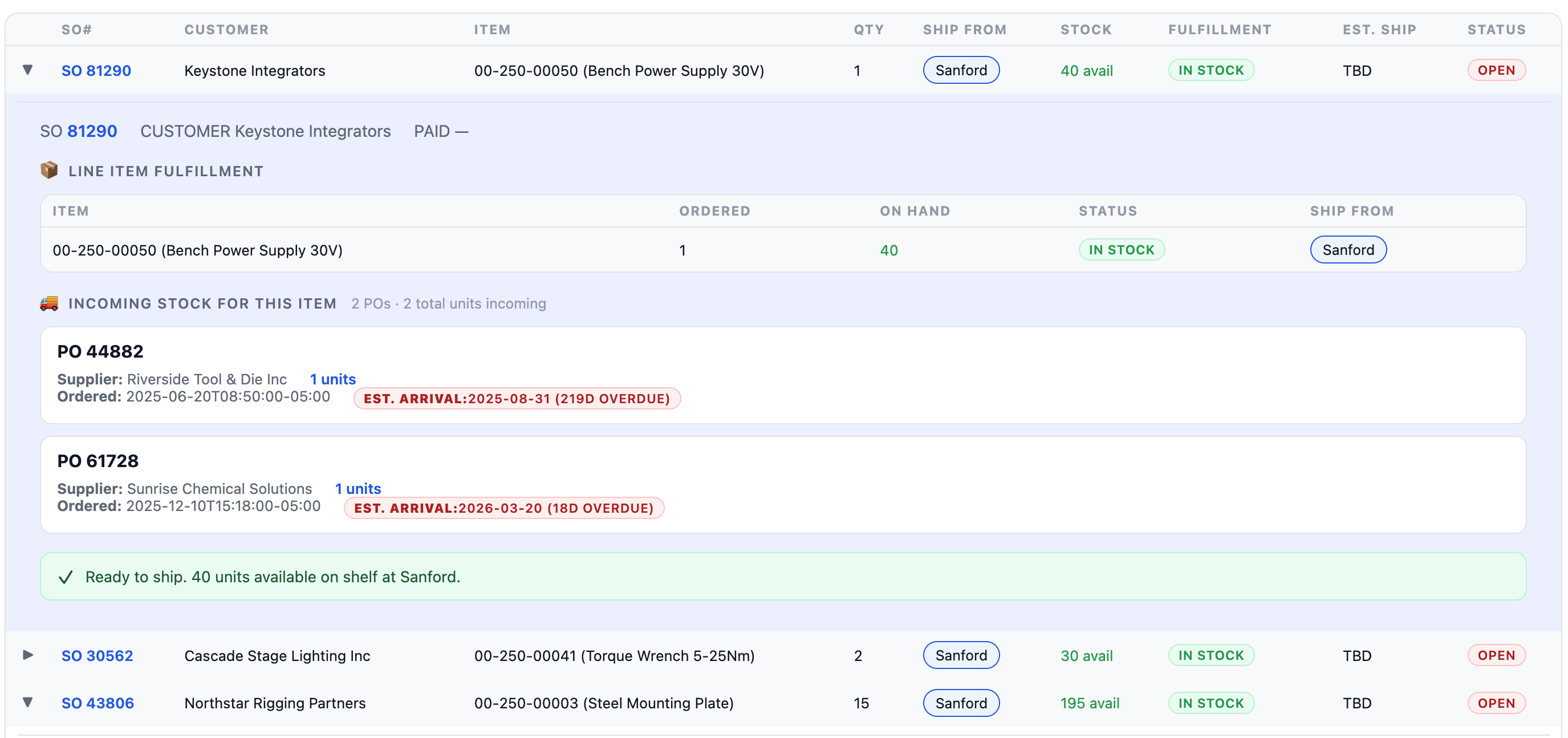
Order Management
Know which orders are ready now, which are blocked, and what inventory is preventing fulfillment.
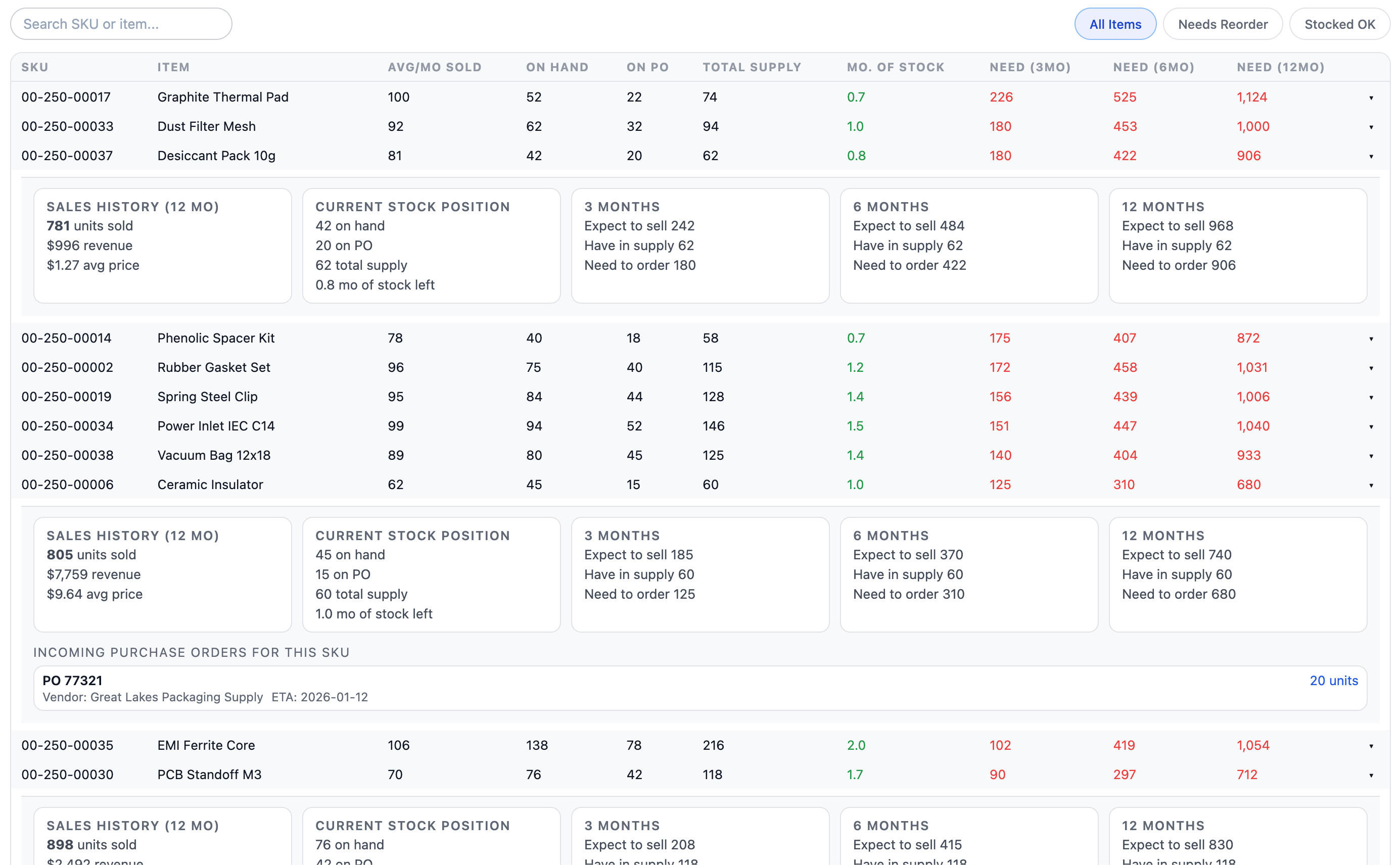
Forecasting
Use practical 3, 6, and 12 month planning views to identify shortages and make better reorder decisions.
Made for teams that cannot afford inventory guesswork.
Operations teams
Stop bouncing between spreadsheets, QuickBooks, and tribal knowledge just to answer basic inventory questions.
Purchasing managers
Prioritize reorder decisions based on actual supply, committed demand, and near-term stock risk.
Sales and fulfillment
Know which orders are ready, which are blocked, and what is expected to arrive next.
See how Inventory Control Center fits your workflow.
Enter your work email and we will send you a link to the interactive demo. You can also reach us directly if you prefer a live walkthrough.
Common questions
Is this for QuickBooks Desktop only?
Yes. Inventory Control Center is designed specifically for businesses running QuickBooks Desktop and QuickBooks Desktop Enterprise workflows.
Does this replace QuickBooks?
No. It sits on top of your existing QuickBooks Desktop data and gives your team a clearer operational view of inventory, orders, and purchasing.
Who is this best for?
Inventory-heavy businesses that need better visibility into stock, purchase orders, committed inventory, and reorder planning.
Can I request a demo?
Yes. A demo conversation is usually the fastest way to understand whether Inventory Control Center fits your workflow.